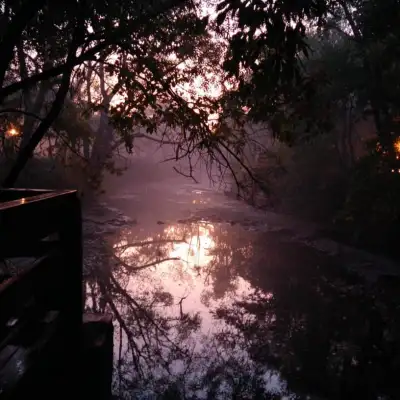



Inspiration Hub: 50 Wallpaper Ideas You Can Create with AI (Desktop & Mobile)

by Imaginawalls
January 26, 2026 — 4 Min readInspiration Hub: 50 Wallpaper Ideas You Can Create with AI (Desktop & Mobile)
Sometimes the hardest part of creating wallpapers isn’t the tools—it’s deciding what to make.
That’s why this post exists.
Below you’ll find 50 curated wallpaper ideas you can generate with AI right now. Each concept is designed with real screens in mind: clean composition, strong mood, and enough negative space to work behind icons and widgets.
These ideas are based on what actually performs well on wallpaper platforms: emotional atmosphere, recognizable aesthetics, and layouts that feel calm in daily use.
You can use them directly—or adapt them using your own ImaginaWalls workflow (ChatGPT → MidJourney → DALL·E).
Minimal & Clean (Ideas 1–10)
- 1. Soft pastel gradients with subtle grain
- 2. Minimal moon over smooth sky
- 3. Single floating geometric shape
- 4. Calm foggy horizon
- 5. Quiet luxury marble textures
- 6. Linen paper backgrounds with gentle shadows
- 7. Abstract flow lines on neutral colors
- 8. Sunlight through sheer curtains
- 9. Minimal desert silhouettes
- 10. Soft light through window blinds
Cozy & Atmospheric (Ideas 11–20)
- 11. Night desk with laptop glow
- 12. Rainy window with city bokeh
- 13. Warm café corner at dusk
- 14. Bedroom with fairy lights
- 15. Anime balcony at midnight
- 16. Candle-lit room with soft shadows
- 17. Reading nook with plants
- 18. Cat sleeping near window
- 19. Coffee cup on rainy morning table
- 20. Quiet street under streetlamp
Cinematic & Dark (Ideas 21–30)
- 21. Neon alley at night
- 22. Foggy cyberpunk skyline
- 23. Silhouette under moonlight
- 24. Rain-soaked road reflections
- 25. Lone figure in empty city
- 26. Dark forest with soft light rays
- 27. Mountain ridge at blue hour
- 28. Retro-futuristic sunset horizon
- 29. Storm clouds over ocean
- 30. Night train platform
Nature & Dreamy (Ideas 31–40)
- 31. Misty lake at sunrise
- 32. Cherry blossoms in soft wind
- 33. Alpine valley with clouds
- 34. Floating islands in pastel sky
- 35. Field of wildflowers
- 36. Waterfall with light fog
- 37. Golden hour forest path
- 38. Moonlit beach
- 39. Snowy village at night
- 40. River reflecting stars
Abstract & Modern (Ideas 41–50)
- 41. Soft 3D blobs with gradients
- 42. Glass shapes on neutral background
- 43. Metallic curves with studio light
- 44. Flowing fabric simulation
- 45. Paper cut layers
- 46. Liquid chrome forms
- 47. Architectural shadows
- 48. Floating spheres in fog
- 49. Modern brutalist geometry
- 50. Holographic light waves
How to Turn Any Idea into a Wallpaper (Quick Method)
Pick one idea, then follow this simple process:
- Describe it naturally to ChatGPT
- Ask for desktop + mobile prompts
- Generate artistic versions in MidJourney
- Refine layout and cleanliness in DALL·E
Always include:
- Negative space for icons
- Clear focal point
- “no text, no watermark, no logo”
My ImaginaWalls Rule of Thumb
If it looks good in full screen but bad behind icons, it’s not a wallpaper yet.
I always optimize for:
- Calm backgrounds
- Readable subjects
- Low visual noise
- Desktop + mobile variants
This alone improves downloads dramatically.
Use Ideas to Build Collections (Not Random Images)
Instead of publishing single wallpapers, group them:
- 10 cozy wallpapers
- 10 minimalist wallpapers
- 10 cinematic wallpapers
Collections outperform isolated images every time.
Final Thoughts
Inspiration isn’t about waiting—it’s about having a system.
With AI, you can explore dozens of ideas in hours instead of weeks. The key is choosing concepts that feel emotional, usable, and visually calm.
Pick one idea from this list, generate both desktop and mobile versions, and start building your own collections.
Next post teaser: In the next article, I’ll explore the evolution of wallpapers—from physical walls to AI-generated 8K visuals—and what this shift means for creators.